









We use cookies 🍪
We use cookies and other similar technologies to improve your browsing experience and the functionality of our site. Learn more in our Privacy Policy.

The Header Notice now supports the page builder! 

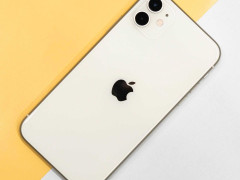
Thay camera sau, đúng zin theo máy (Focus lấy tiêu cự ok) Iphone 6

Thay camera sau, đúng zin theo máy (Focus lấy tiêu cự ok) Iphone 6
Thay camera sau iPhone 6 tại Fixme Vietnam, 53 D5 Phường 25, Bình Thạnh, TP.HCM: kỹ thuật viên kiểm ... Read More
from
0đ
Giá chưa có VAT: 0đ
  • Stock: In Stock
  • Brand: Apple
  • Model: iPhone 6
Create unlimited custom product blocks and display them in accordions or tabs or open blocks. Each block can be assigned to all products at once or specific products according to advanced criteria.

Thay camera sau iPhone 6 tại Fixme Vietnam, 53 D5 Phường 25, Bình Thạnh, TP.HCM: kỹ thuật viên kiểm tra máy trước khi báo giá và sửa trước mặt khách. Phần lớn trường hợp lấy ngay trong ngày.

Dấu hiệu cần thay camera sau iPhone 6

  • Camera mờ, không lấy nét hoặc đen khi mở
  • Mất đèn flash

Quy trình thay camera sau tại Fixme Vietnam

  1. Kỹ thuật viên kiểm tra máy và xác định lỗi.
  2. Báo giá trước khi sửa, bạn đồng ý mới làm.
  3. Sửa trước mặt khách.
  4. Kiểm tra lại máy cùng bạn trước khi giao.

iPhone 6 còn hay gặp lỗi gì?

Thay camera sau cho đời iPhone khác

Tất cả lỗi đang nhận sửa nằm ở trang Sửa iPhone 6. Đời máy gần: Sửa iPhone 5S, Sửa iPhone 6 Plus và Sửa iPhone 5C.

Câu hỏi thường gặp

Thay camera sau iPhone 6 mất bao lâu?

Phần lớn trường hợp lấy ngay trong ngày. Nếu máy có thêm lỗi khác, cửa hàng báo trước khi làm.

Tôi có được xem sửa máy không?

Có. Máy được sửa trước mặt khách tại 53 D5 Phường 25, Bình Thạnh, TP.HCM.

Giá thay camera sau iPhone 6 bao nhiêu?

Giá ghi trên trang nếu có. Nếu chưa ghi giá, cửa hàng báo giá sau khi kiểm tra máy.

Mang máy đến 53 D5 Phường 25, Bình Thạnh, TP.HCM hoặc gọi 0888 888 652 để mô tả lỗi trước.

Viết đánh giá

Bạn hãy đăng nhập hoặc đăng ký để đăng/viết ý kiến

Builder in Product TAB

NEW! Since Journal 3.2, the much improved T.A.B (Tabs Accordion Blocks) system supports the page builder inside the tab content. Unlimited Blocks, Tabs or Accordions with any HTML content or the builder interface (supporting custom rows/columns/modules) can be assigned to any individual product or to certain groups of products, like entire categories, brands, products with specific options, attributes, price range, etc. You can indicate any criteria via the advanced product assignment mechanism and only those products matching your criteria will display the modules. Also, any module can be selectively activated per device (desktop/tablet/phone), customer login status and other criteria. Imagine the possibilities.